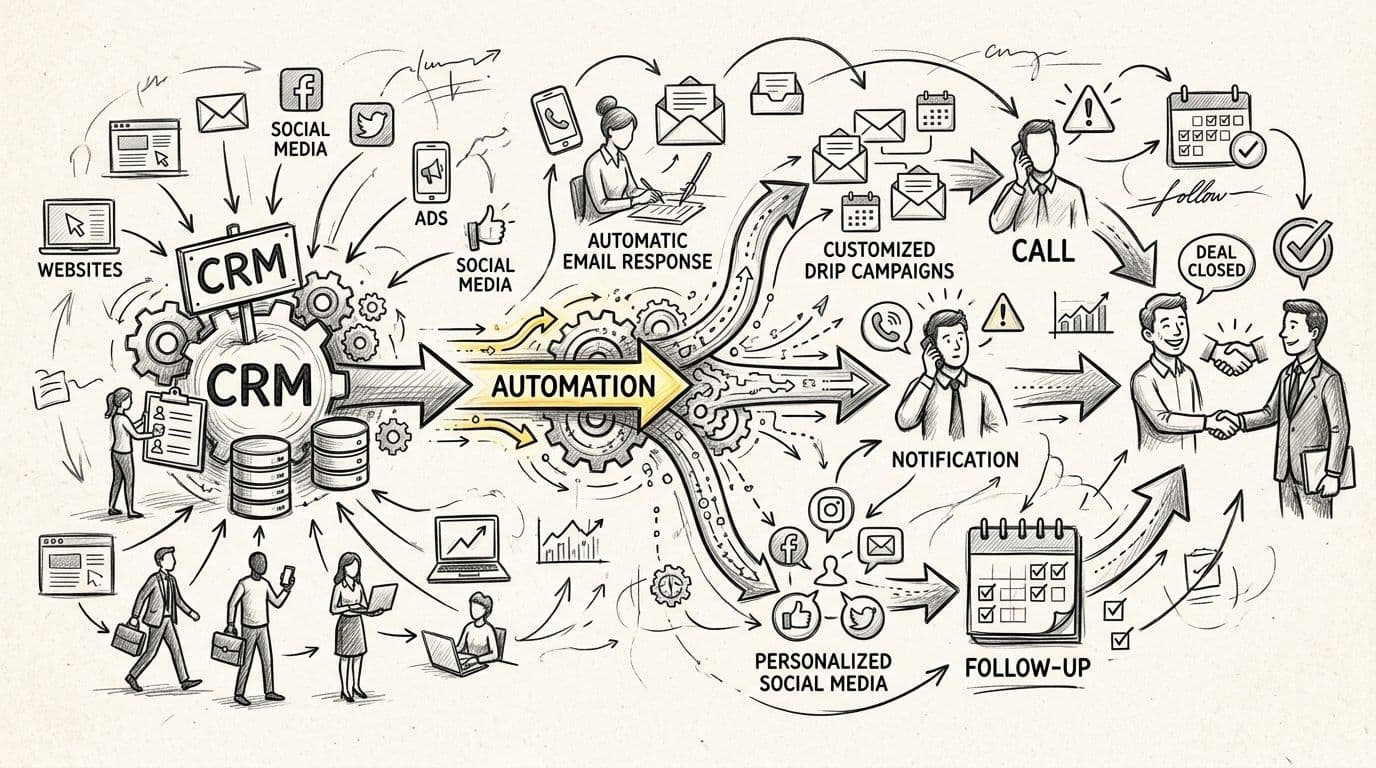
Every lead your marketing produces should get an instant, relevant, tracked follow-up — whether your sales team is at their desk or asleep. This guide lays out the complete 2026 workflow for turning your CRM into an automated follow-up engine: capturing leads, scoring them, routing them to the right owner, and nurturing the ones that are not ready to buy. It also covers where these setups break, so yours survives contact with real leads.
TL;DR
- Automated lead follow-up captures, scores, routes, and nurtures every lead without a rep touching it.
- Responding within 5 minutes makes a lead 21x more likely to convert than waiting 30 minutes (InsideSales).
- Build in four stages: capture, score, route, nurture — then automate the handoffs.
- Most failures are data failures: duplicates, missing stages, and unassigned owners — not software.
- Prizmstack builds these workflows as custom systems when off-the-shelf automation stops fitting.
Why this matters
Speed decides deals. In a widely cited InsideSales study of lead response times, reps were 391% more likely to convert a lead when they contacted it within the first minute, and the odds of qualifying a lead fell 21x once the response slipped from 5 minutes to 30 minutes. A separate Lead Connect survey found 78% of customers buy from the company that responds first. Yet most small and mid-size sales teams answer new leads in hours, not minutes — because follow-up depends on somebody remembering.
That is the gap CRM automation closes. A good setup answers in seconds, routes to a human only when a human adds value, and never lets a lead sit untouched. The same logic applies beyond sales: the cost of automating these workflows keeps falling, as we cover in our guide to AI automation costs for startups.
The workflow at a glance
| Stage | What happens | Owner | Typical build time |
|---|---|---|---|
| 1. Capture | Every form, chat, call, and ad lead lands in the CRM in seconds | Marketing ops | 1–2 weeks |
| 2. Score | Leads are graded on fit and intent, automatically | Sales ops | 1 week |
| 3. Route | Each lead goes to the right rep with a deadline attached | Sales leadership | 3–5 days |
| 4. Nurture | Untouched or not-ready leads run a timed sequence | Marketing ops | 1–2 weeks |
Total realistic build time in 2026: 3–6 weeks for a focused setup, longer if your CRM data needs cleaning first.
Before you start
- Admin access to your CRM, website forms, ad accounts, and any chat or call-tracking tool.
- Defined pipeline stages that match how your team actually sells — automation amplifies a broken pipeline; it never fixes one.
- Named owners for each lead segment. Automation that has nobody to route to fails silently.
- The non-obvious gotcha: duplicate and dead records. If your CRM has a decade of imported contacts, deduplicate first, or your automation will message stale contacts and tank your sender reputation.
Stage 1: Set up your lead capture trigger
- List every source that generates leads — website forms, chat widget, paid ads, calls, events, referrals — and confirm each one writes to the CRM.
- Map every form field to a CRM field. Unmapped fields are where data quietly disappears.
- Add hidden source fields (campaign, channel, keyword) to your forms so every record carries its origin.
- Set a capture service-level target in minutes, not hours. If a lead is not in the CRM within 60 seconds of submission, something upstream is broken.
- Test with a real submission from every channel, then check the record: source, contact fields, and timestamps all correct.
Expected result: any lead from any channel appears in the CRM within 60 seconds, with its full origin attached.
Stage 2: Configure scoring and routing
- Define two scores: fit (how much the lead looks like your best customers — industry, size, role) and intent (what they did — pricing page, demo request, reply). Keep the model to 5–8 signals; more complexity hides decay.
- Assign score weights with your sales team in one working session. Reps will ignore scores they did not help build.
- Set routing rules: hot leads to a named rep with round-robin for fairness; everything else to a nurture track.
- Attach a deadline to every assignment. If a hot lead is untouched for 15 minutes, escalate to the rep's manager. This single rule usually moves response time more than any new tool.
- Verify: submit a high-intent test lead and confirm it reaches the right person with the right urgency.
Expected result: every new lead has a score, an owner, and a deadline within moments of capture.
Stage 3: Build the follow-up sequences
- Write three sequences, not fifteen: hot (immediate call attempt plus email within 5 minutes, then a 10-day cadence), warm (a 3-touch week-one cadence, then biweekly value touches), and cold (a monthly newsletter-style touch).
- Keep every email skimmable — one idea, one question. Long nurture emails get skimmed into oblivion.
- Personalize on data you actually captured (company, use case), not mail-merge gimmicks.
- Add exit conditions: any reply, any call connection, or a score change pulls the lead out of the sequence into a human's hands.
- Review sequence performance monthly and cut the steps nobody responds to.
Expected result: every lead, regardless of score, is in exactly one follow-up track at all times.
Variant: revive stale leads automatically
The same machinery works in reverse. Instead of automating new leads, run a scheduled job each month that finds contacts with no activity in 90+ days, re-scores them against your current model, and drops changed leads into a dedicated re-engagement sequence. Teams that already run active follow-up usually get this variant live in under a week because the infrastructure exists — you are only adding a new trigger and one sequence.
Troubleshooting
- Leads arriving late or not at all: almost always a broken form-to-CRM mapping or an expired integration token. Re-test every capture path quarterly.
- Reps ignoring scores: the model is too complex or was imposed top-down. Cut it to five signals and rebuild it with the team.
- Sequences marking hot leads as "nurtured" forever: exit conditions are missing. Every sequence needs an automatic exit into human hands.
- Declining email engagement: check sender reputation and deduplicate. Automation amplifies bad data at machine speed.
- Escalations firing constantly: your deadlines are tighter than your staffing. Fix staffing or deadlines — do not disable the alert.
When off-the-shelf automation stops fitting
HubSpot, Salesforce, Pipedrive, and similar platforms cover the standard pipeline well. The ceiling shows up when your follow-up depends on your operations: quoting systems, ERP data, industry-specific compliance steps, or multi-brand routing. That is the point where teams move from configuring a tool to building a custom system — and where Prizmstack's CRM automation services come in. Prizmstack builds the workflow around your actual process — capture, scoring, routing, and nurture wired into the systems you already run — with a full team of strategists, engineers, and QA behind it, and stays invested after launch as the workflow evolves. The decision is worth 30 minutes: if your team spends more than a few hours a week on manual lead handling that no tool covers cleanly, a custom build usually pays back within a year.
FAQ
What is CRM lead follow-up automation?
It is the practice of having your CRM automatically capture, score, route, and follow up with every lead without manual steps. A rep only touches leads where judgment adds value.
How fast should a sales team respond to a new lead?
Within 5 minutes. InsideSales research shows leads contacted within 5 minutes are 21x more likely to qualify than leads contacted at 30 minutes, and the gap only widens after an hour.
How long does it take to set up automated lead follow-up?
A focused setup takes 3–6 weeks in 2026: capture first, then scoring and routing, then nurture sequences. Dirty CRM data is the most common thing that stretches the timeline.
Do I need to replace my CRM to automate follow-up?
No. Most CRMs automate the standard pipeline natively. Replacement only makes sense when your follow-up depends on operations your CRM cannot see — quoting, inventory, compliance — and that is a custom-build conversation.
What is the biggest reason automated follow-up fails?
Bad data. Duplicates, unverified emails, and contacts with no owner get amplified at machine speed. Deduplicate and assign owners before you automate anything.
Can automation handle the whole sales conversation?
Not in 2026, and it should not. Automation wins on speed and consistency; humans win on trust, negotiation, and complex deals. Design handoffs, not replacements.
One last thing
Audit your own speed before buying anything: submit a test lead through your own website at 9pm tonight and time the first response. If it is slower than 5 minutes, you have a revenue leak that no new marketing spend will fix — and a workflow like the one above will pay for itself before your next quarterly review.
Related guides
Topics covered
Written by Prizmstack Team
Full-spectrum software agency