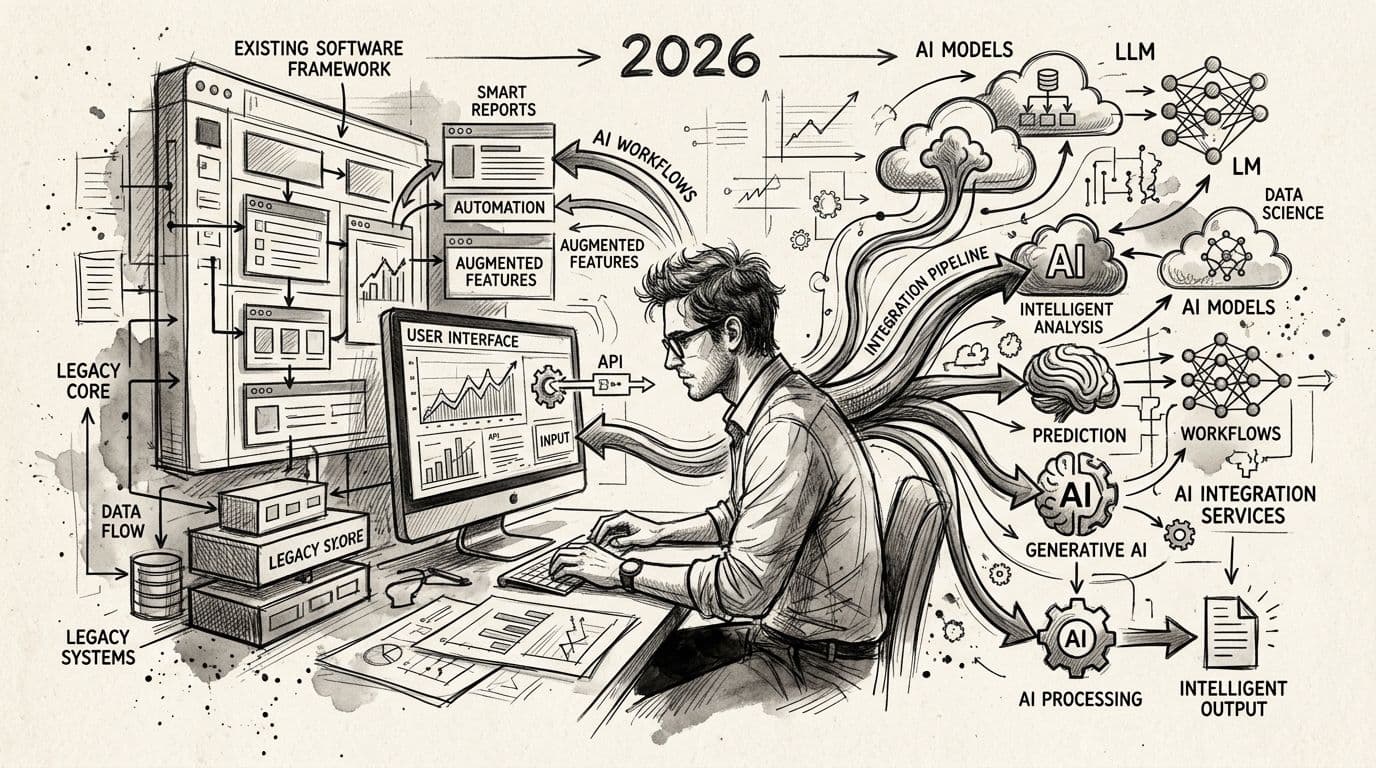
Adding AI to software you already run is an integration project, not a rewrite: an AI integration service connects your existing app, database, and tools to AI models so real workflows — support triage, document extraction, quote generation — run inside the systems your team already uses. In 2026 that typically takes 2-8 weeks for a single workflow and succeeds or fails on one decision most teams rush: what the AI is allowed to read, and what stays deterministic.
This guide is the complete process: how to pick the first workflow, how the integration is actually built (six layers, from data access to evaluation), what it costs by scope, and the failure modes that turn a promising pilot into shelfware. If you are hiring for this rather than building it yourself, the best AI consulting companies in 2026 are ranked on exactly the evidence this process asks for.
TL;DR
- AI integration is additive — connect models to existing systems, don't rebuild.
- Pick one workflow with clear inputs, measurable output, and a human approval step.
- Data access and permission boundaries decide success more than model choice.
- Budget $15k-$100k+ for scoped integrations; production systems need monitoring, not just a demo.
What AI integration actually means in 2026
Strip away the marketing and an AI integration is a plumbing job with one new kind of pipe:
- Existing systems stay. Your CRM, ERP, ticketing tool, or custom app keeps running. AI sits beside or inside it.
- A model gets access to defined data. Not your whole database — a scoped, permissioned slice: the last 90 days of tickets, one document class, one record type.
- A workflow gets automated or assisted. Drafting, classifying, extracting, summarizing, routing — the AI does work that currently costs a human hour.
- A human path stays open. Mature integrations route low-confidence outputs to people instead of guessing.
That last point is not caution — it is what makes v1 shippable. An automation that proposes and a human approves ships in weeks; one that acts unilaterally needs the reliability engineering of an autopilot.
Step 1: Pick the first workflow by its shape, not its hype
Good first integrations share four properties:
- Bounded input. The AI reads one defined source — ticket text, invoice fields, product specs — not "everything."
- Checkable output. A person can judge in seconds whether the answer is right: a draft reply, a category label, an extracted total.
- Real frequency. The task happens enough times per week that saved minutes compound into a business case.
- Tolerable error. A wrong draft costs an edit; a wrong automated payment costs money. Start where errors are cheap to catch.
Common first workflows that clear the bar: support triage and reply drafting, invoice and contract data extraction, internal knowledge assistants over documentation, and lead enrichment. If your candidate workflow fails the four-property test, it is a v2, not a v1.
Step 2: Scope the data access before anything else
Data preparation is the longest phase in AI projects — 40-60% of total project time per Gartner's AI implementation survey — and it is mostly decided by one question: can the integration actually reach the data?
- Inventory sources and access paths. Which system holds the data, what APIs or exports exist, who owns credentials.
- Map quality honestly. Duplicated records, free-text fields, missing timestamps — model output is capped by input quality.
- Define the permission boundary. The AI should inherit the same access rules your users have, not bypass them. Multi-tenant systems need this designed, not assumed.
- Decide retention. What gets logged, for how long, and whether customer data leaves your environment to reach the model.
One week of data mapping before the build prevents the week-three surprise that costs three.
Step 3: Choose the integration pattern that fits your stack
There are four standard ways AI enters existing software, roughly in order of cost:
| Pattern | What it looks like | Best when |
|---|---|---|
| Sidecar tool | A standalone app that reads from your system and writes results back | You cannot touch the core app; validate before integrating |
| Embedded assistant | Chat or suggestion box inside your app's UI | Users should stay in one tool; context matters |
| Workflow automation | AI steps wired into an existing pipeline (triage, routing, extraction) | The process is defined; volume justifies automation |
| Platform extension | AI features exposed through your product to your customers | AI is part of what you sell; multi-tenant and billing implications apply |
Start with the cheapest pattern that produces a usable result. A sidecar pilot that proves value is worth more than an embedded build that never ships.
Step 4: Build the six layers of a production integration
A production AI integration is a stack, and every layer needs a decision:
- Data access layer. Scoped queries, service accounts, and the permission rules the model's context must respect.
- Context construction. What gets assembled into each request — retrieval over your documents, relevant record fields, conversation history — because model quality tracks context quality.
- Model layer. Which provider and tier, routed so you can swap models when pricing or capability shifts. Enterprise model tiers typically exclude your data from training; consumer tiers often do not — configure accordingly.
- Deterministic layer. The parts that should never touch a model: calculations, permissions, transactions. AI drafts; code decides.
- Human-in-the-loop layer. Approval UIs, confidence thresholds, and an escalation path for low-confidence output.
- Observability layer. Logging of inputs, outputs, latency, and cost per interaction, plus user feedback signals — the raw material for post-launch improvement.
Skip the deterministic and observability layers and you have a demo with a billing meter, not a system.
Step 5: Test like the output is non-deterministic — because it is
Traditional test suites assume the same input produces the same output. AI does not, so testing changes shape:
- Golden datasets. A set of real inputs with known correct outputs, run on every change to catch regressions.
- Edge-case suites. The messy inputs — empty records, multilingual text, adversarial questions — that demos never show.
- Permission tests. Verify the AI cannot surface data a given user could not see. This is a standard QA discipline on multi-tenant builds like Prizmstack's work on the Magai platform, not an optional extra.
- Cost and latency budgets. Assert that a response stays within its per-interaction cost and time envelope before release.
Step 6: Ship staged, then keep improving
Roll out to internal users first, then friendly customers, then everyone. Instrument every interaction. Watch the metric you set in step 1 — and hold a sprint cadence for the model layer, because model behavior drifts as your usage mix changes. A partner that stays invested after launch, monitoring and optimizing rather than handing over a repo, is the difference between a workflow that compounds and a feature that decays.
What AI integration costs in 2026
Scope, not headcount, drives the number:
- $15,000-$60,000: one workflow, one integration, internal users — the sidecar or single-pipeline build.
- $50,000-$150,000: multi-integration builds — 2-4 systems connected, dashboards, permission-aware context.
- $150,000+: product-embedded AI at platform scale — multi-tenancy, billing hooks, admin surfaces, customer-facing features.
Maintenance is a separate, real line: expect post-launch optimization to continue for the life of the feature, not to end at go-live.
Common failure modes — and the fix for each
- The boss-demo trap. A pilot works on curated data, then meets production data and fails. Fix: wire real data in from week one.
- Pilot purgatory. The prototype proves value and then nothing ships, because production work (permissions, monitoring, error paths) was never scoped. Fix: define "production" in the original statement of work.
- Model worship. Teams spend weeks on model choice and hours on data quality. The model is a commodity; your data and workflow are not.
- No owner after launch. AI systems drift; unowned systems decay silently. Assign the post-launch owner before kickoff.
FAQ
Can AI be added to legacy software?
Yes — usually through a sidecar service that reads from and writes to the legacy system via APIs, database views, or exports, without touching the core application.
How long does AI integration take?
A single workflow with one integration reaches production in 2-8 weeks; multi-system builds run 6-16 weeks. Data preparation is the longest phase at 40-60% of project time.
How much do AI integration services cost?
Scoped single-workflow integrations run roughly $15,000-$60,000, multi-integration builds $50,000-$150,000, and platform-scale product AI $150,000+.
Do we need to replace our current software to use AI?
No. The point of integration is to keep your systems and add capability — replacement only enters the picture when the legacy system itself blocks the workflow.
Is it safe to send company data to AI models?
With enterprise model tiers and proper configuration, yes — customer data is typically excluded from model training. The contract, configuration, and retention policy matter more than the brand.
What should the first AI workflow be?
Something with bounded input, checkable output, real frequency, and tolerable error — support triage, document extraction, or an internal knowledge assistant are common first wins.
What happens after the AI integration launches?
Monitoring, drift handling, and iterative improvement on a sprint cadence. Budget for ongoing optimization — model behavior changes as usage patterns shift.
One last thing
The teams that succeed at AI integration treat it as a plumbing project with a product mindset: scope the data first, keep the deterministic parts deterministic, and keep a human in the loop until the numbers say otherwise. The teams that fail bought a demo.
Related guides
Topics covered
Written by Prizmstack Team
Full-spectrum software agency